Your AI is brilliant.It just doesn't know your work.

ran connects the tools you already use and keeps a live memory of everything in them — so the AI you ask already knows, and can already act.

Get early access
The ran home screen — an ask bar resting over the tools you've connected.The ran home screen — an ask bar resting over the tools you've connected.
1.0 Connect

Connected in an afternoon. Current forever.

Link Notion, Slack, Gmail and Drive natively — 1,000+ more tools through Composio — and ran keeps a live map of what's inside, up to date on its own.

GmailSlackNotionDriveCalendarGitHubFigmaLinear
ran's sources screen — Notion, Slack, Gmail and Drive connected, each kept current on its own.ran's sources screen — Notion, Slack, Gmail and Drive connected, each kept current on its own.
2.0 Ask

Ask like it sat next to you all year.

One question searches everything you've connected; the answer cites its sources, and one click opens the exact passage.

A ran answer with inline citations, drawn from everything the reader has connected.A ran answer with inline citations, drawn from everything the reader has connected.
A citation opened, magnified: the library preview of "Pricing v3 — usage-based", the quoted passage "Standard tier is $49 per seat." pulled out above the full document text.A citation opened, magnified: the library preview of "Pricing v3 — usage-based", the quoted passage "Standard tier is $49 per seat." pulled out above the full document text.
3.0 Trust

When your sources disagree, it says so.

Two documents, two numbers — ran shows both instead of picking one with confidence it didn't earn.

  1. A ran answer in chat — “The standard tier is $49 per seat” — with numbered citations to the two pricing documents it drew from.A ran answer in chat — “The standard tier is $49 per seat” — with numbered citations to the two pricing documents it drew from.

    AnswerThe answer comes back, cited.

  2. The outward action held in amber — exactly what would leave, shown in full.The outward action held in amber — exactly what would leave, shown in full.

    HoldIt holds, and waits.

  3. The waiting card open — the human yes that releases the send.The waiting card open — the human yes that releases the send.

    Your yesYou look it over and say yes.

  4. The receipt after approval — done, on the record, with an undo.The receipt after approval — done, on the record, with an undo.

    ReceiptSent, on the record, undoable.

91%

answers judged correct

93%

right sources retrieved

100%

honest "I don’t know"s

Open benchmark: a 16-document team corpus, 31 questions, LLM-judged.

4.0 Operate

Hand it the job, not the steps.

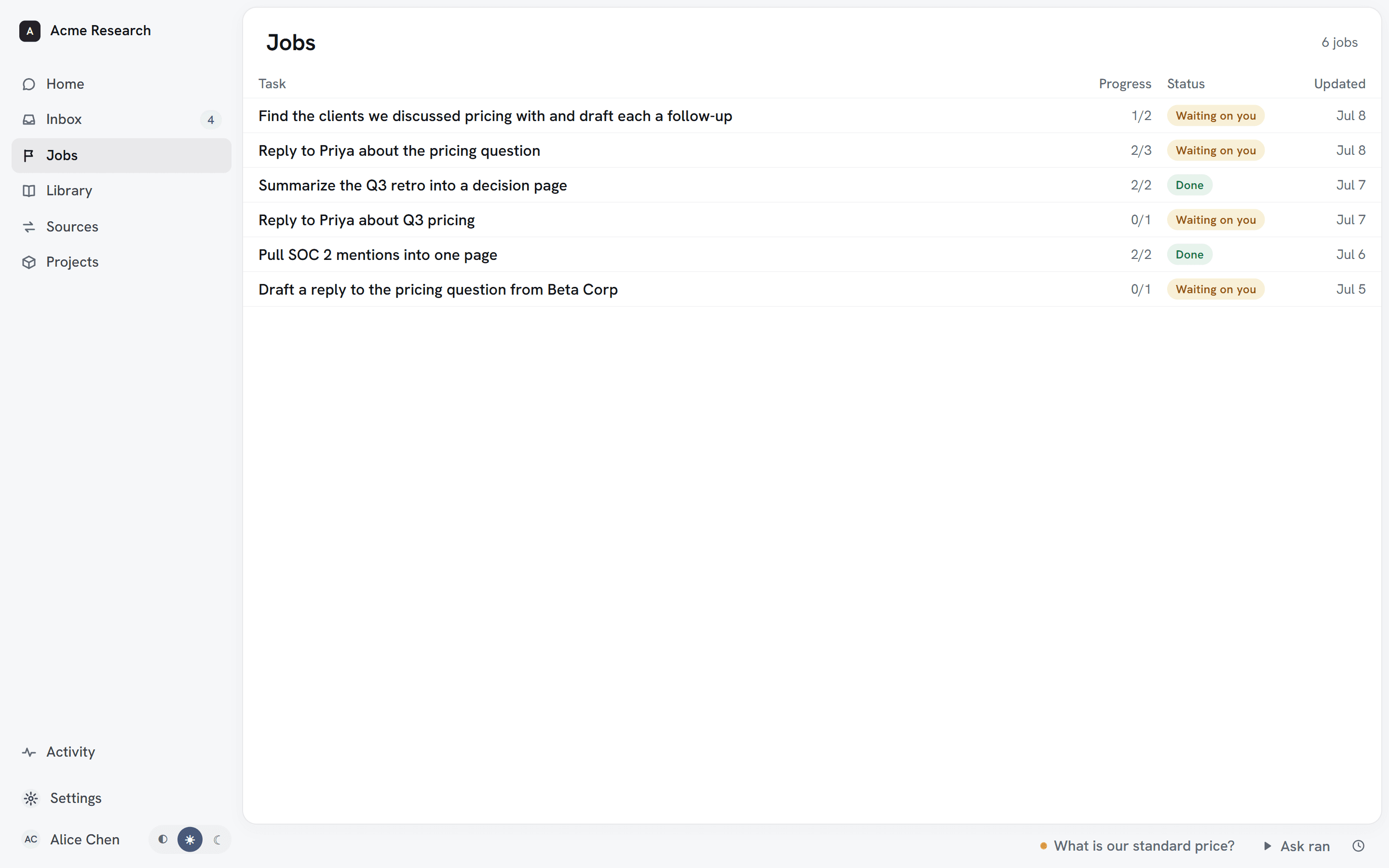
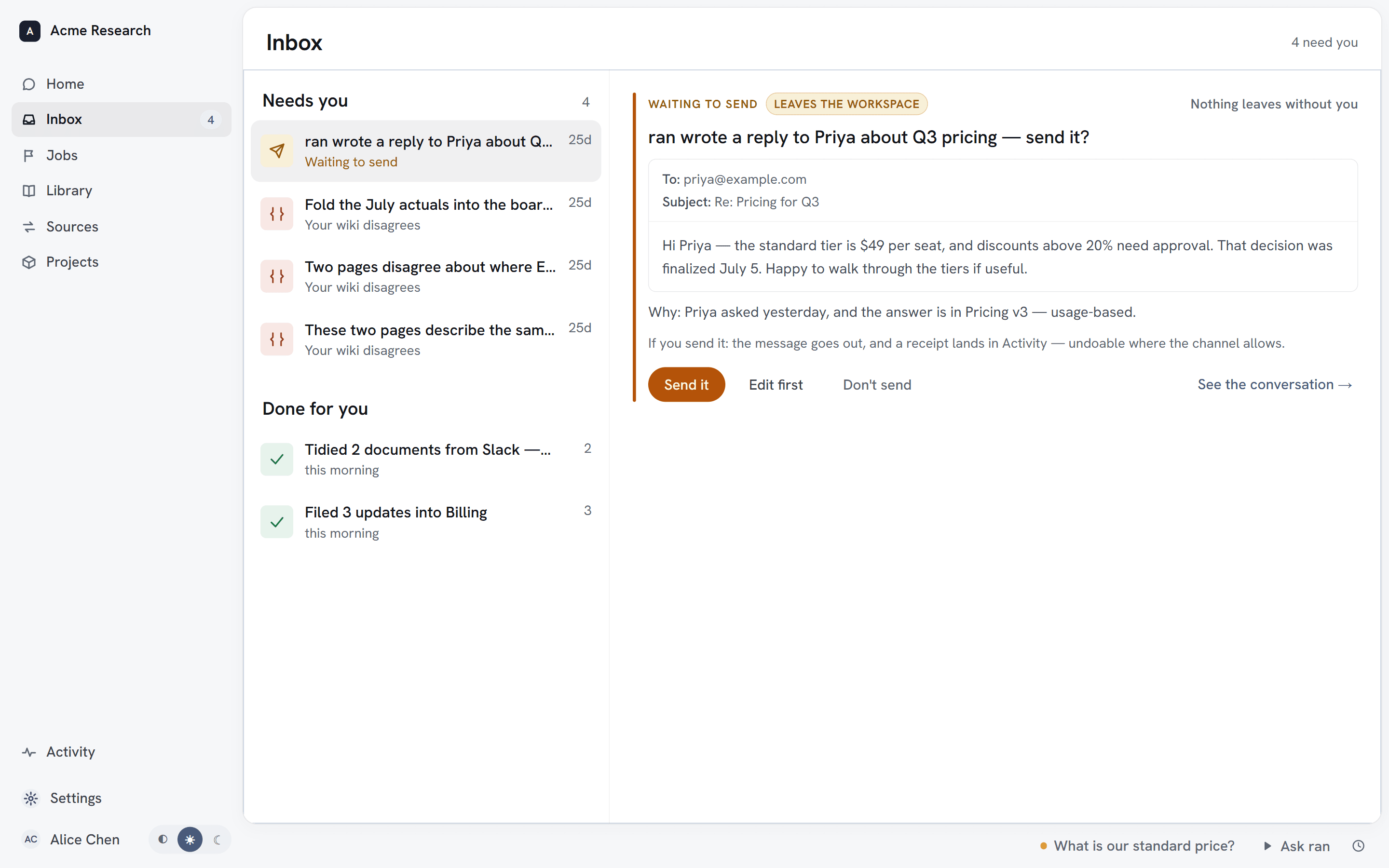
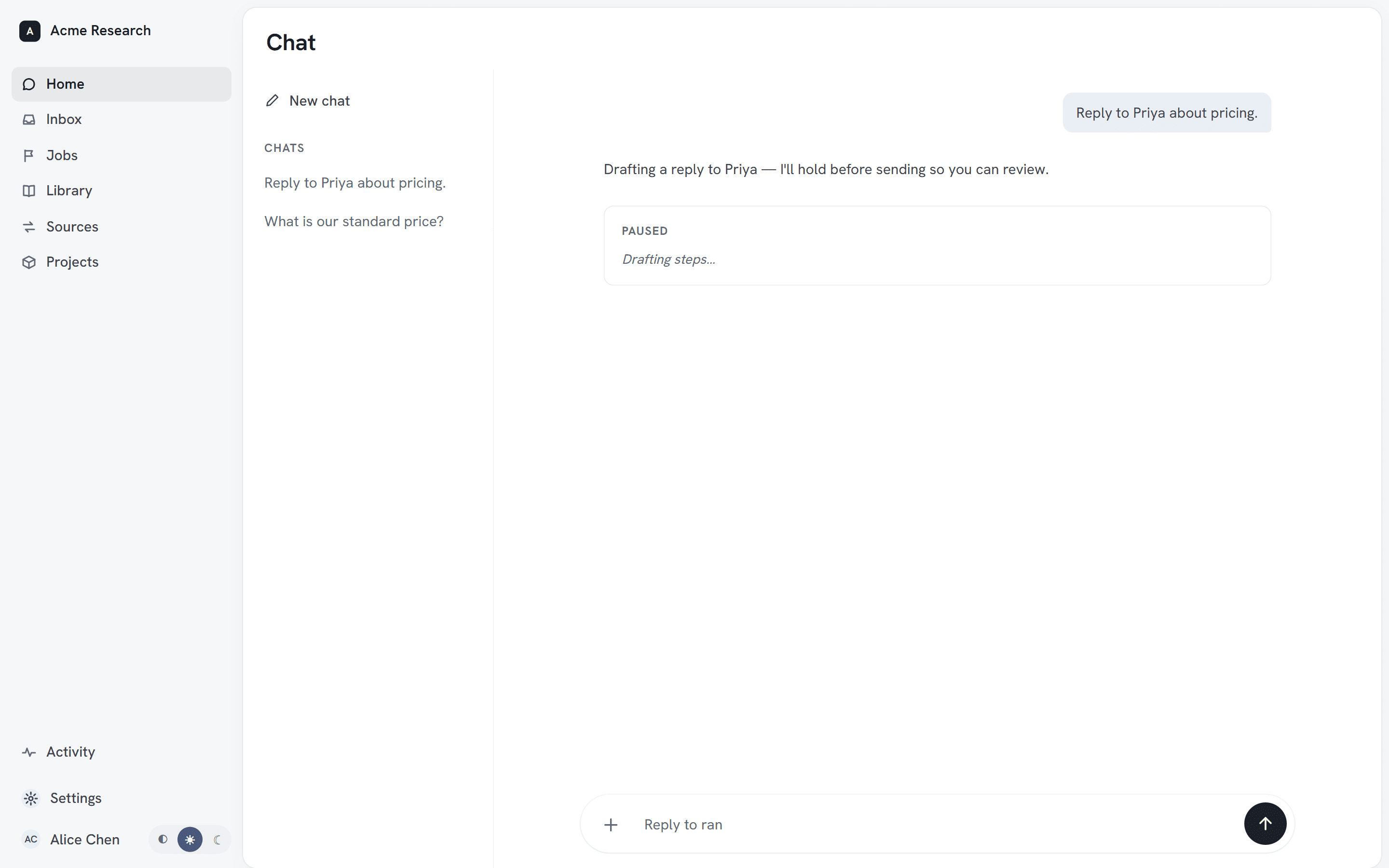
It drafts, files, builds and posts across your tools on its own — and the moment something would leave, it stops, shows you exactly what's about to go out, and waits for your yes.

  1. ran's Jobs list — each job on its own row with its step progress and status, several marked waiting on you.ran's Jobs list — each job on its own row with its step progress and status, several marked waiting on you.

    The job and its steps land in Jobs.

  2. ran holding an outward action, showing exactly what's about to leave the workspace.ran holding an outward action, showing exactly what's about to leave the workspace.

    The moment something would leave, it stops.

  3. The receipt after approval — the action done and on the record, with an undo.The receipt after approval — the action done and on the record, with an undo.

    You say yes — and it's on the record, undoable.

Safe by construction.

Your access, exactly

ran sees what your accounts can see. Nothing more, nothing to configure.

Nothing leaves without you

Outbound actions hold for a human yes, every time.

Everything undoable

Every change ran makes carries its own one-click undo, on the record.

Never trained on

Your workspace is isolated and never used to train models.

Your model account, if you want

Run ran on your own Anthropic or OpenAI key — your privacy terms, your bill.

Gone means gone

Disconnect a source and its data is purged, with a receipt.

However you work, it's yours.

Just you

Connect your own tools and get a memory and an operator that are yours alone. It even plugs into the Claude or ChatGPT you already pay for, as their memory.

You, inside a team

Everyone gets their own ran, built from their own access. Nobody sees more than their accounts allow — including the AI.

Your whole company

Roll out in seats, not projects. No permission system to stand up — access comes from the accounts people already have. Bring your own model key and inference runs under your agreements.

See how it holds up

Questions, answered.

How is this different from Notion AI or Glean?

Two things. Every answer cites the exact source it came from, so you can check it — and when your sources disagree, it flags the conflict instead of picking one. And it doesn't just answer: it takes on real multi-step work, and anything that leaves your workspace waits for your approval.

Does ran train on our data?

No. Your documents are never used to train models — ours or anyone else's. Your data stays in your workspace, and nothing leaves it without your explicit approval.

How does ran decide who sees what?

It doesn't — your own accounts do. Everyone gets their own workspace, and ran only ever sees what your connected logins can see. That access is inherited from your accounts and enforced in the database, so nothing surfaces to anyone — or any AI — that their accounts wouldn't already show them.

Can ran take actions, not just answer?

Yes. Ran can carry out multi-step tasks across your tools — but every external action waits for your approval before it runs.

Can I use it with the Claude or ChatGPT I already pay for?

Yes. ran's knowledge layer plugs into the AI you already use over MCP, so your existing Claude or ChatGPT can answer from your live, cited work instead of a blank context window. Available in early access.

See it on your own work.

The fastest way to get it is to feel it — bring your tools and watch ran learn them.